Attribute Dial
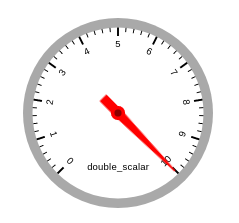
A widget that shows the value of an attribute using an animated dial.
Widget setting
The following image shows an example of a widget setting.
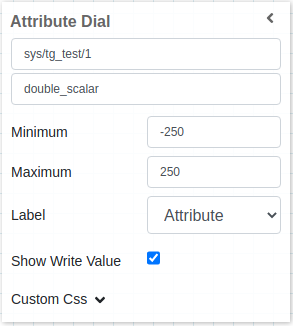
It is possible to customize the widget settings from the inspector panel (in edit mode), as shown below:
Input value |
Description |
|---|---|
Device |
Type in a device name (or * to list all devices) |
Attribute |
Once a device is selected, type in an attribute name (or * to list all available attributes) |
Minimum |
If the widget is configured with a minimum of 10, any attribute value below 10 will be displayed as 10 |
Maximum |
If the widget is configured with a maximum of 20, any attribute value above 20 will be displayed as 20 |
Label |
Select from three types of labels to display on the widget: Attribute, Label, or Device |
Show Write Value |
Select whether to show the write value. If enabled, a grey knob will appear alongside the red knob representing the actual value |
Show Tango Database Name |
Displays the tango database name |
Custom CSS |
Write custom CSS for the widget container. The syntax is the same as standard CSS used in HTML files |