Macro Button
The widget allows the user to run sardana macro execution from Taranta. It provides a graphical interface to configure macro execution settings (parameters). Three devices must be configured in order to run a macro.
Widget setting
The following image shows an example of a widget setting.
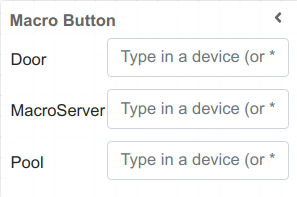
It is possible to customize the widget settings from the inspector panel (in edit mode), as shown below:
Input Value |
Description |
|---|---|
Door |
Specify the device to run macro execution |
Macroserver |
Specify the device to show all available macros |
Pool |
Specify the device to show all available motors |
Align the Run/Stop Button to Right |
Aligns the button to the right when enabled |
Outer Div CSS |
Write custom CSS for the outer div. The syntax is the same as standard CSS used in HTML files |
In run mode
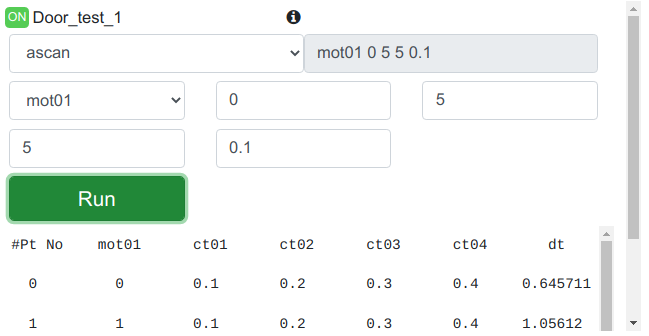
The macro and its argument can be configured in run mode. There is a dropdown list containing all available macros. If the selected macro requires an argument, the corresponding input box will appear with a description. The full macro argument are translated to spock syntax and displayed next to the selected macro. If the input containes incorrect parameters, a warning message will appear. The Macro Widget will remember the selected macro and its spock argument when the user reloads the page.
To run or stop a macro execution, click Start/Stop button. The running output is presented below the execution button.