Embed Page
The widget allows users to embed embeddable webpages. It is completely independent of tango devices and is a stand-alone widget for porting externally developed web-tools to bring controls and monitoring onto one platform. The widget requires the user to provide the URL of a webpage that is accessible and allows embedding.
Widget setting
The following image shows an example of a widget setting.
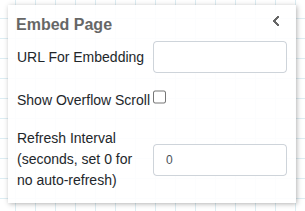
It is possible to customize the widget settings from the inspector panel (in edit mode), as shown below:
Input value |
Description |
|---|---|
URL for Embedding |
Input for the URL of a webpage |
Show Overflow Scroll |
Enable scrolling |
Refresh Interval (seconds, set 0 for no auto-refresh) |
Defines how often the widget refreshes automatically (in seconds). Set to 0 to disable auto-refresh |
The textbox requires the URL of an accessible webpage. By default ‘http’ is prepended to the URL before the webpage is loaded
Widget design
The URL provided by the user is embedded in an iframe tag and then rendered. The only pre-requisite for this embedding to work is that the web-page the user supplies, allows being embedded.
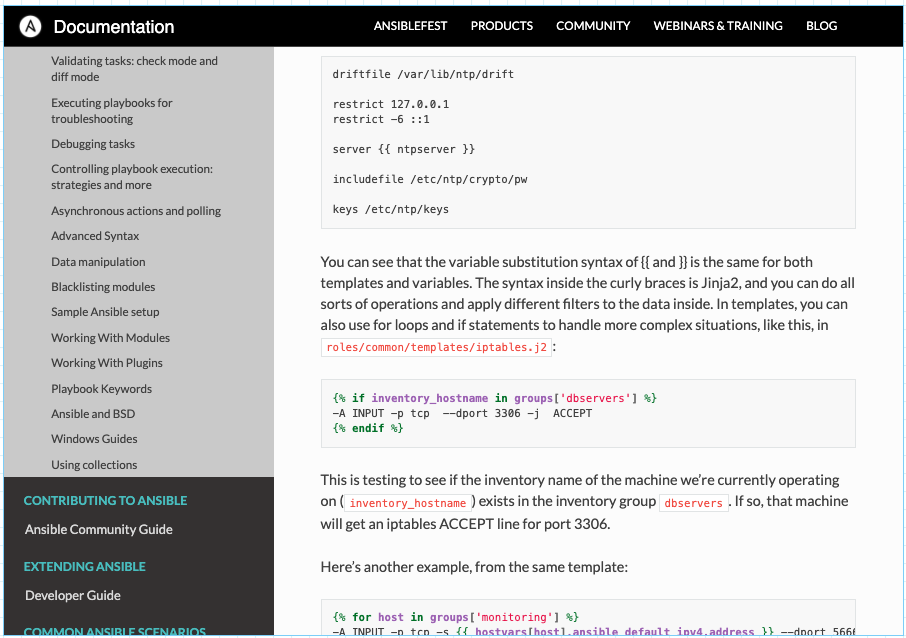
The URL provided in the settings bar is rendered and is fully interactive.