Multi Servers Start/Stop#
Servers Start/Stop on Host#
Manage Servers by Host:
All servers on a host by rigth click Menu on Main window by clicking
on Start All Servers or Stop All Servers.All servers on host window view by clicking on Start All or Stop All button.
All servers on all hosts of a branch by using rigth click menu on selected Branch.
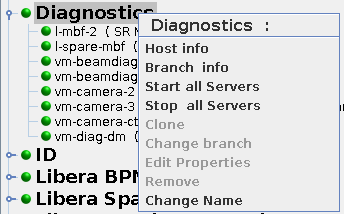
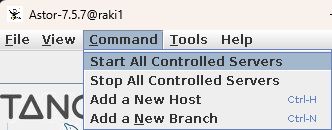
All servers on all hosts of the control system by using Command menu in main window.
All servers on host window you can also do selection of Servers with keyboard button
SHIFTorCTRLand Click Selection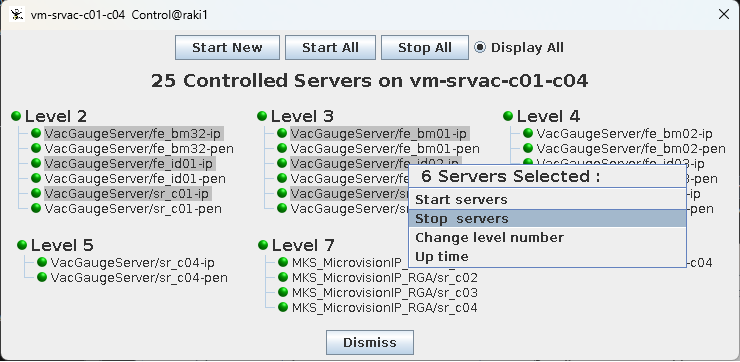
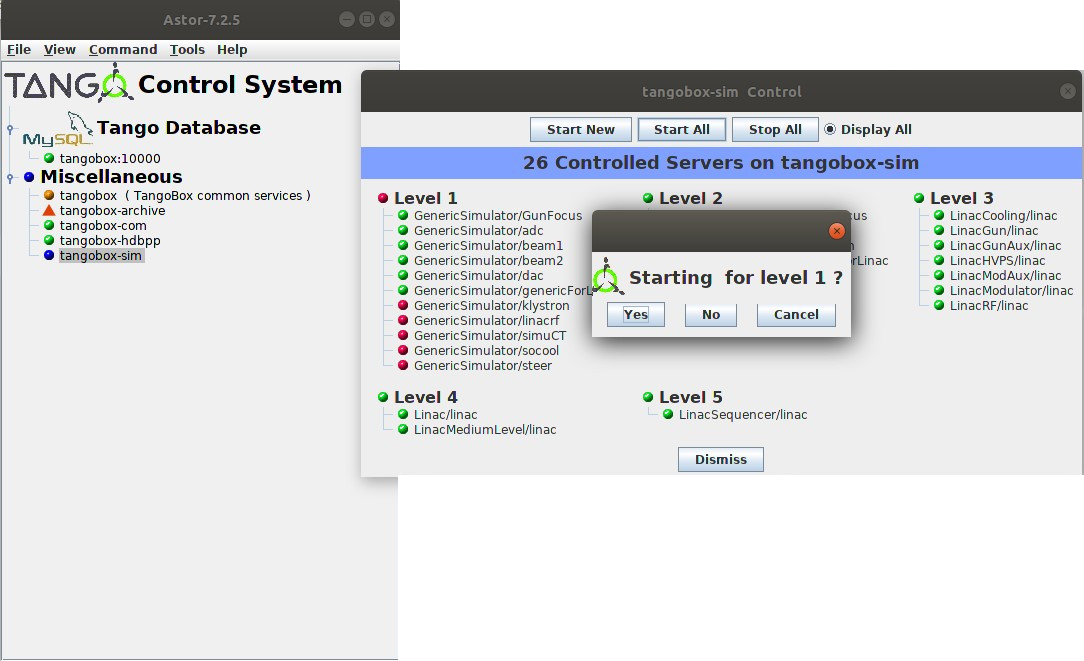
If you use Start/Stop All on host the servers will be started in ascending order of startup level and stopped in descending order.
For each level a confirmation dialogbox will be popuped.
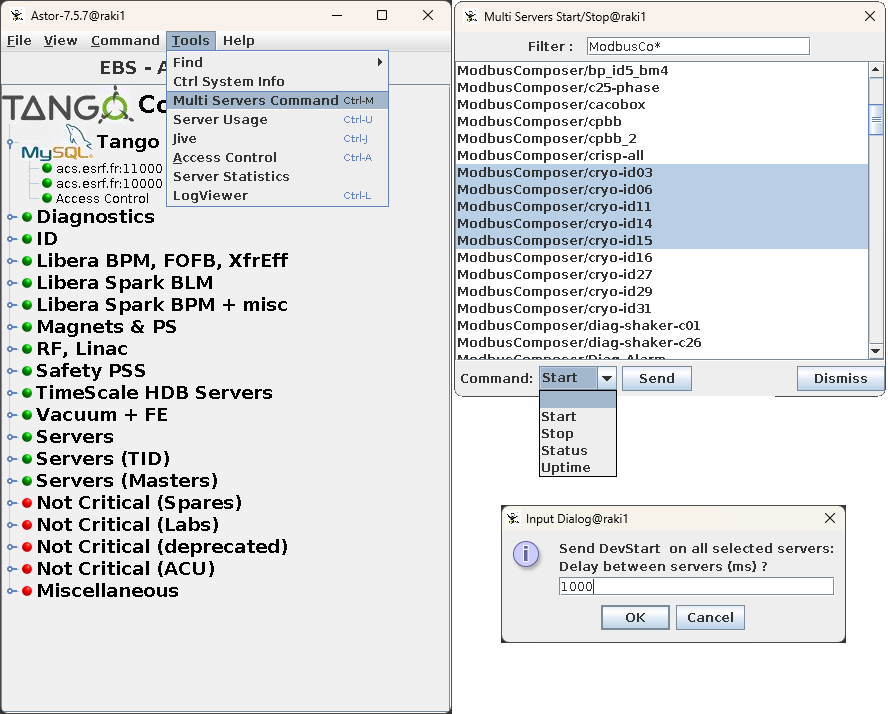
Multi Servers Start/Stop#
You can start or stop several servers on serveral Hosts by
Tools–>Multi Servers Command. Choose patenrn of Server wanted and select in the list the Serves you want start or stop. You can also use shortcut likeCTRL+A
On host window.